For your staff
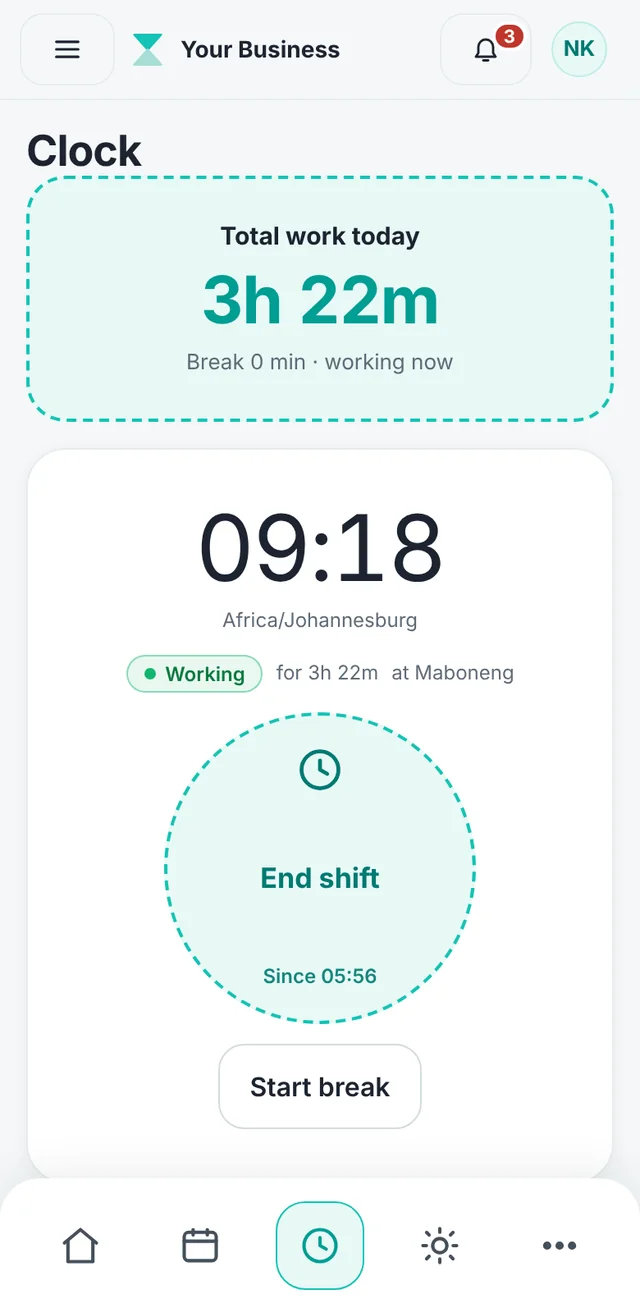
One big button
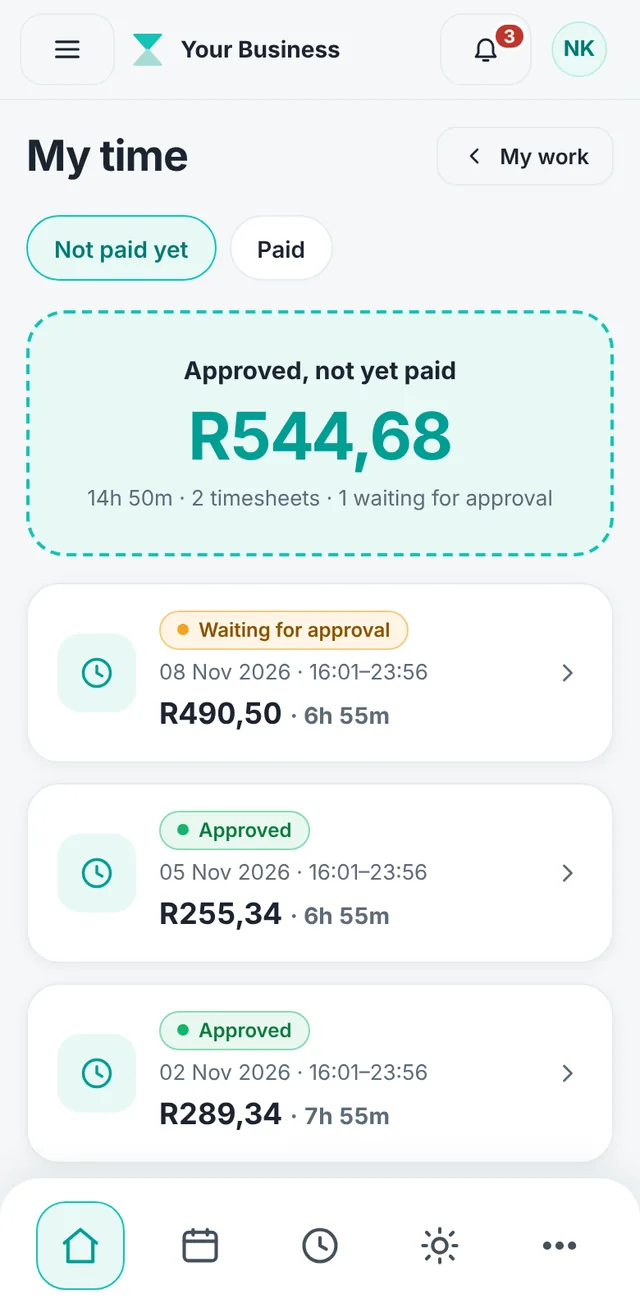
They clock in and out on their own phone or a shared tablet, and see their shifts, their hours and what they have earned — without asking you.
Time Is Money is the easy clock-in, timesheet and pay app for South African small businesses. Your staff clock in on their phones, you approve in a tap, and payday is one tidy list.
Free for up to 4 employeesThen from R200 a monthNo card needed to start
Made for businesses that run on shifts
Easy for everyone
Most small businesses still run time on a paper book, a WhatsApp group and somebody’s memory. That holds up until an hour is disputed. Time Is Money keeps the record straight, and your team can start without a training session.
For your staff
They clock in and out on their own phone or a shared tablet, and see their shifts, their hours and what they have earned — without asking you.
For your managers
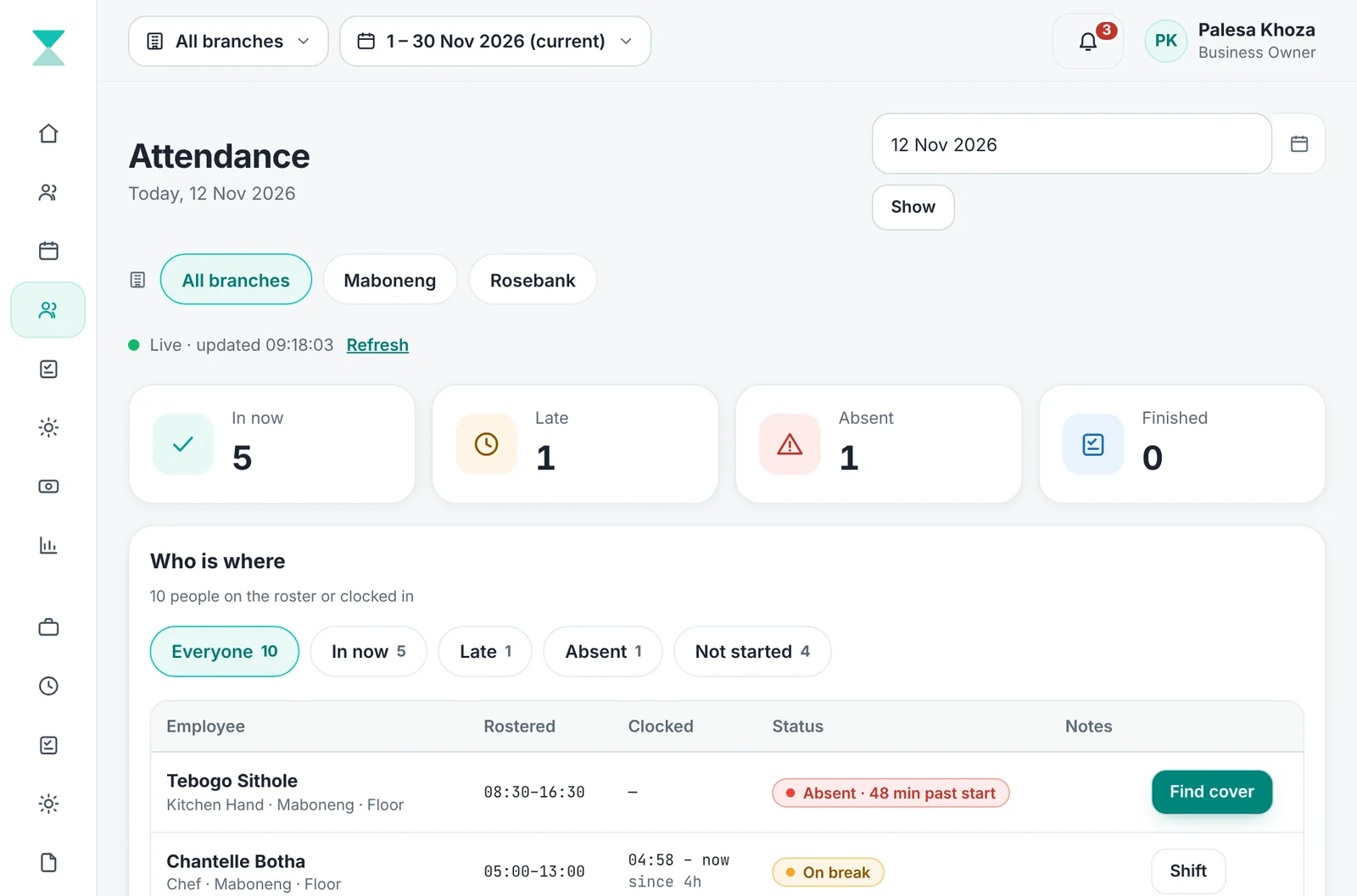
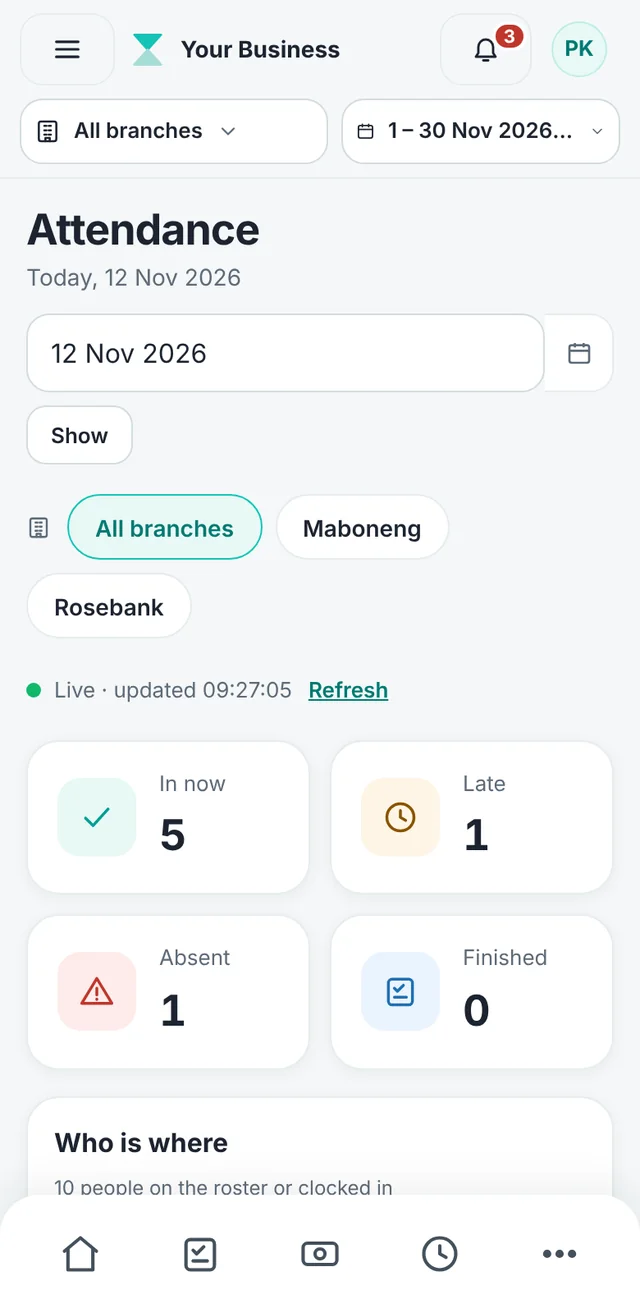
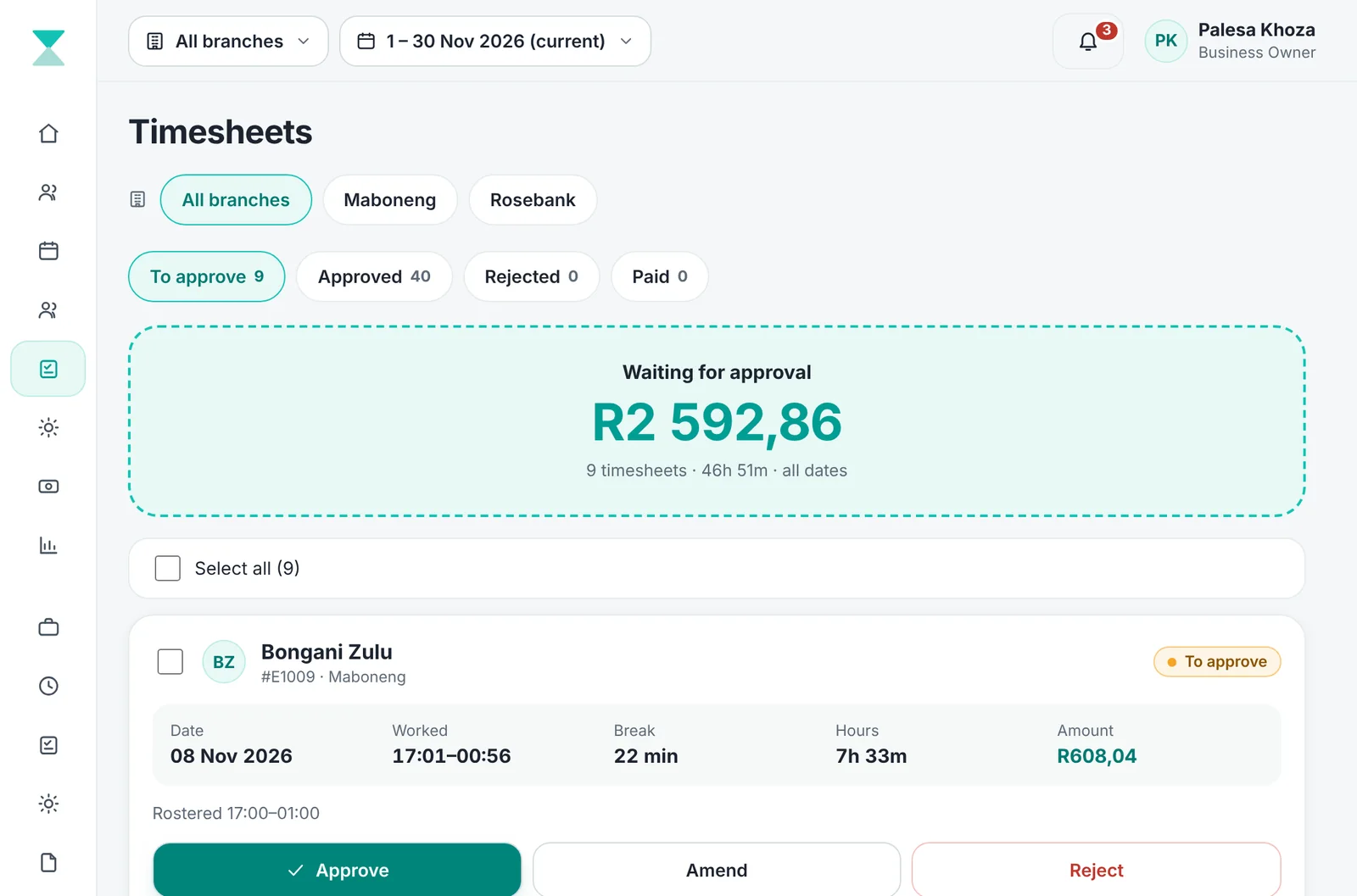
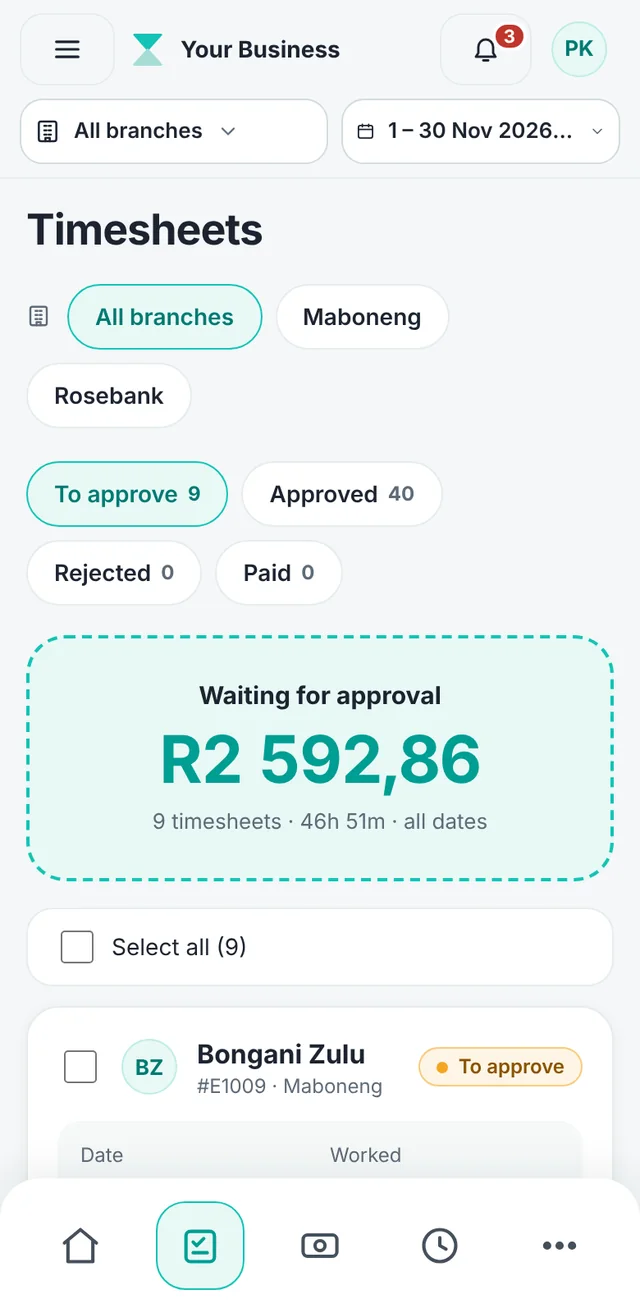
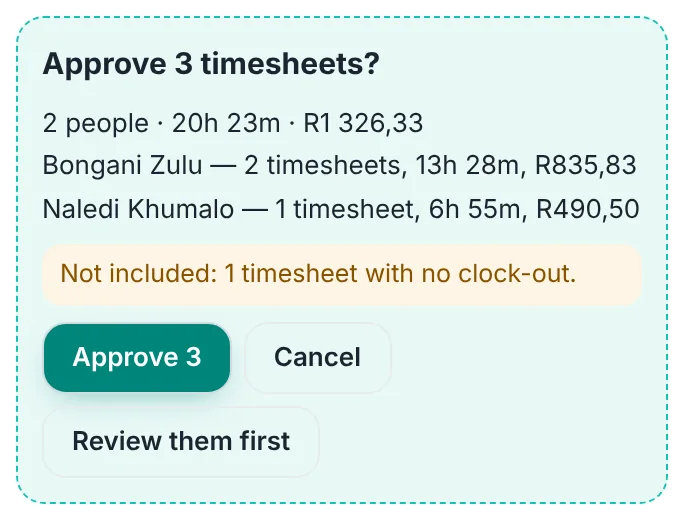
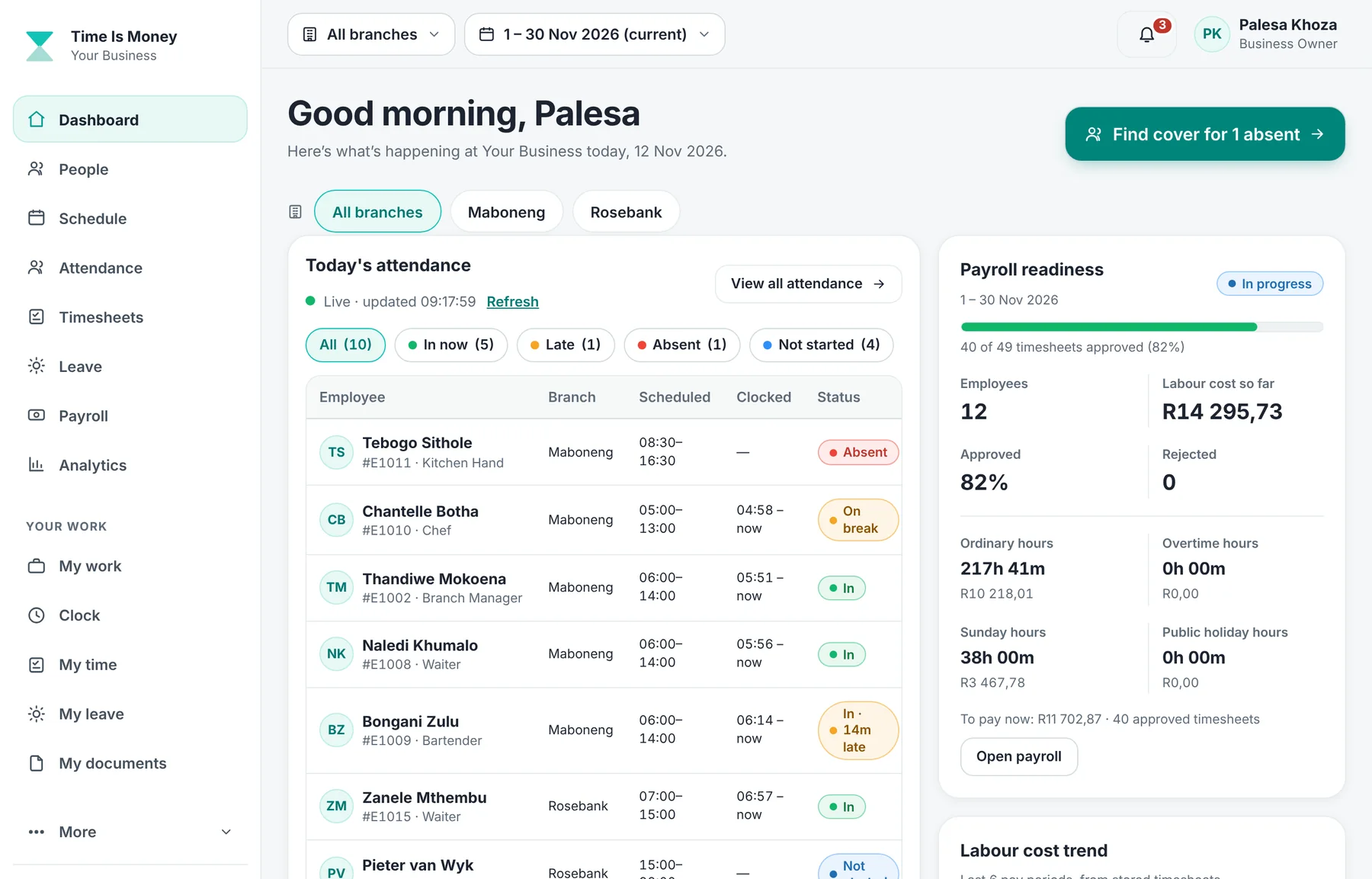
A live board shows who is in, late or absent. Timesheets build themselves from the clock-ins, ready to approve, amend or reject.
For you
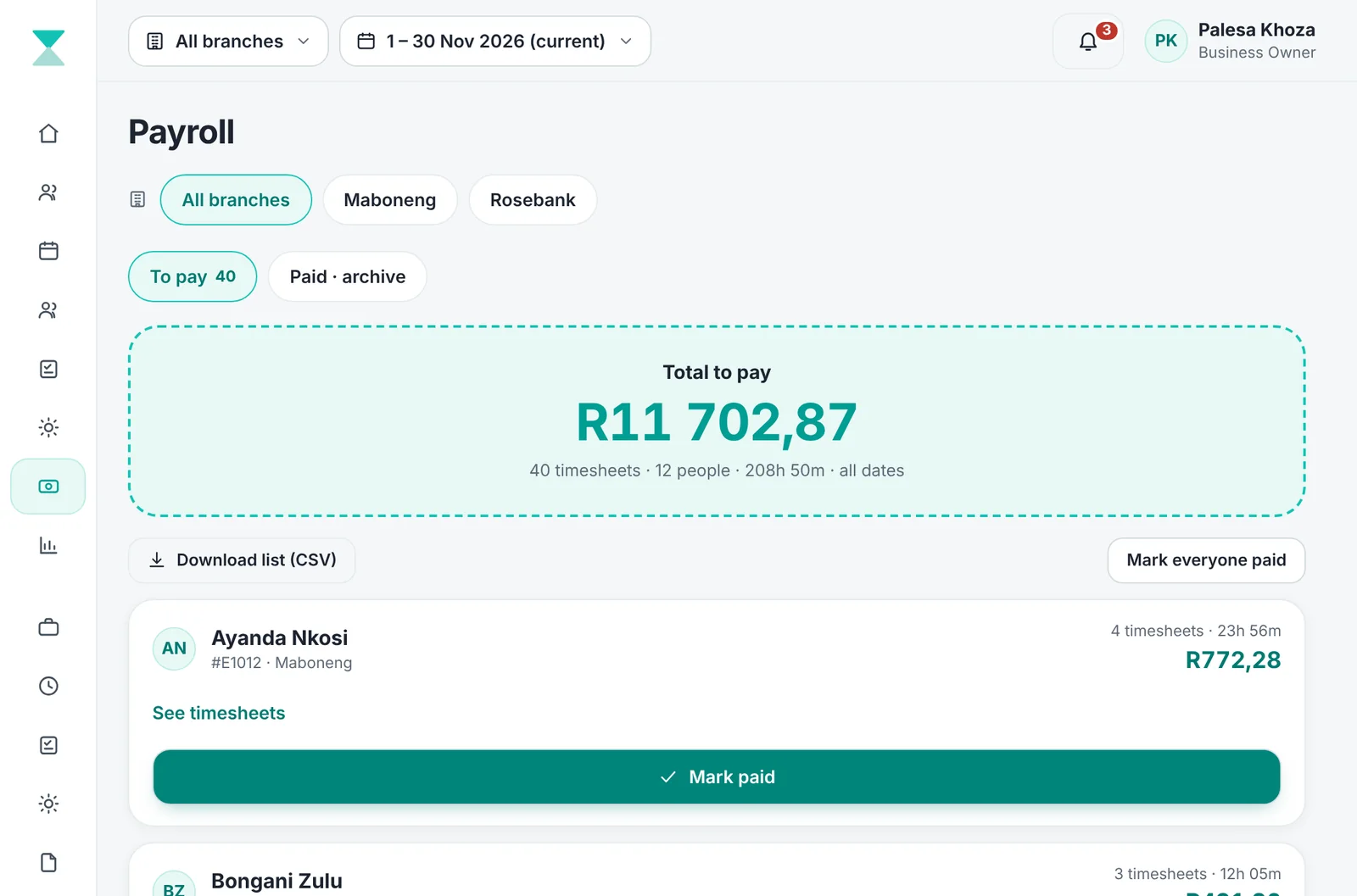
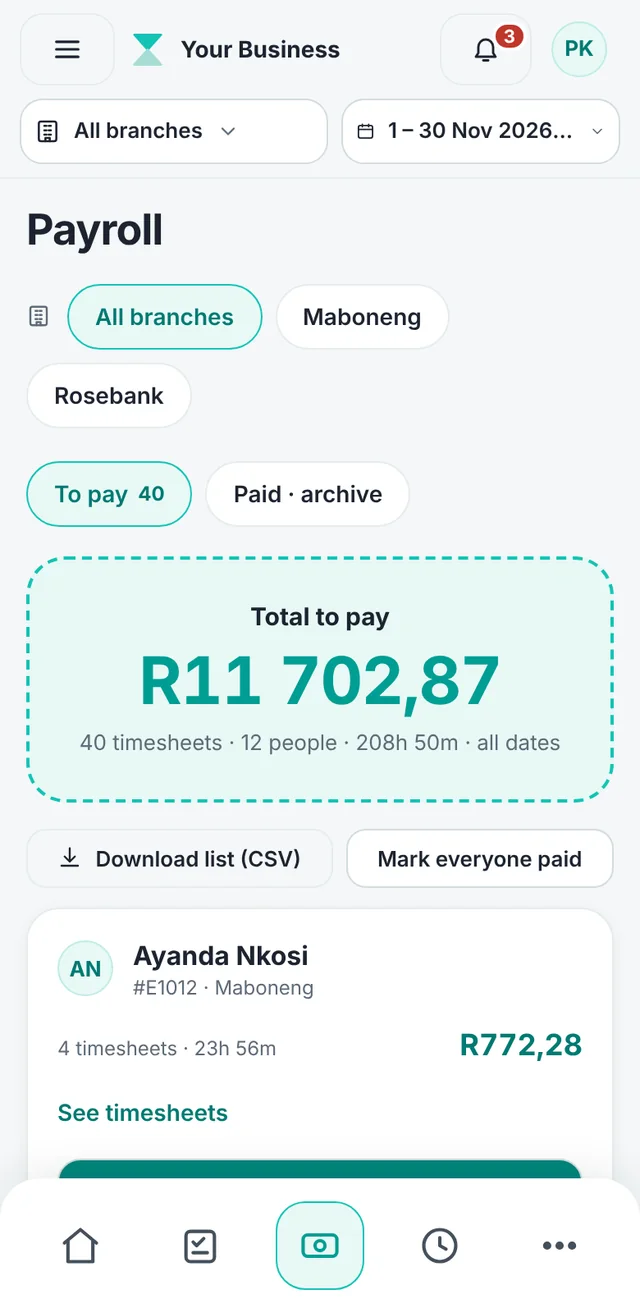
See what labour is costing at each branch while the week is still running, and get one tidy list of who to pay and how much.
How your week runs
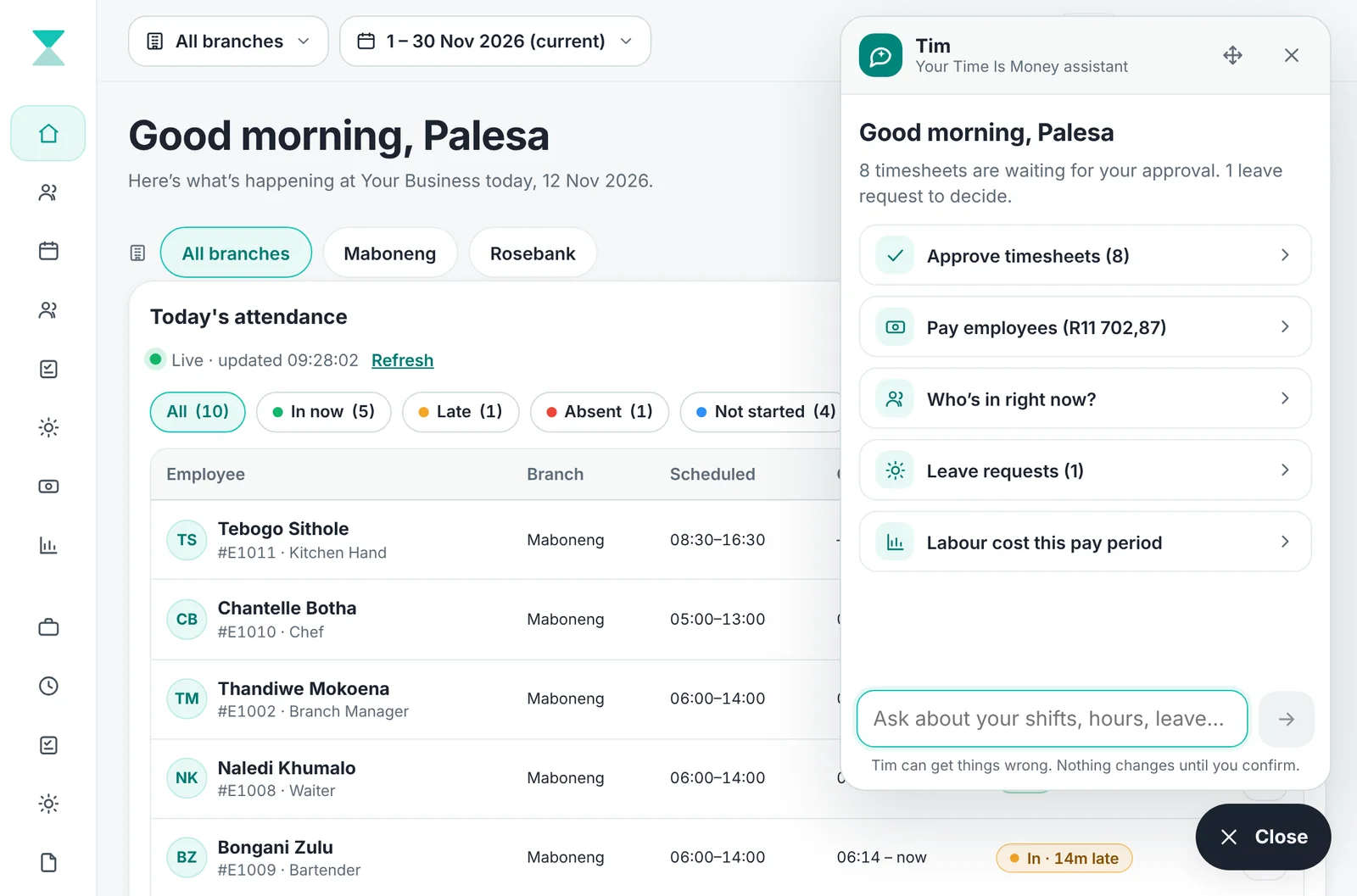
These are real screens from the app, on demo data. What you see here is what you and your team use.
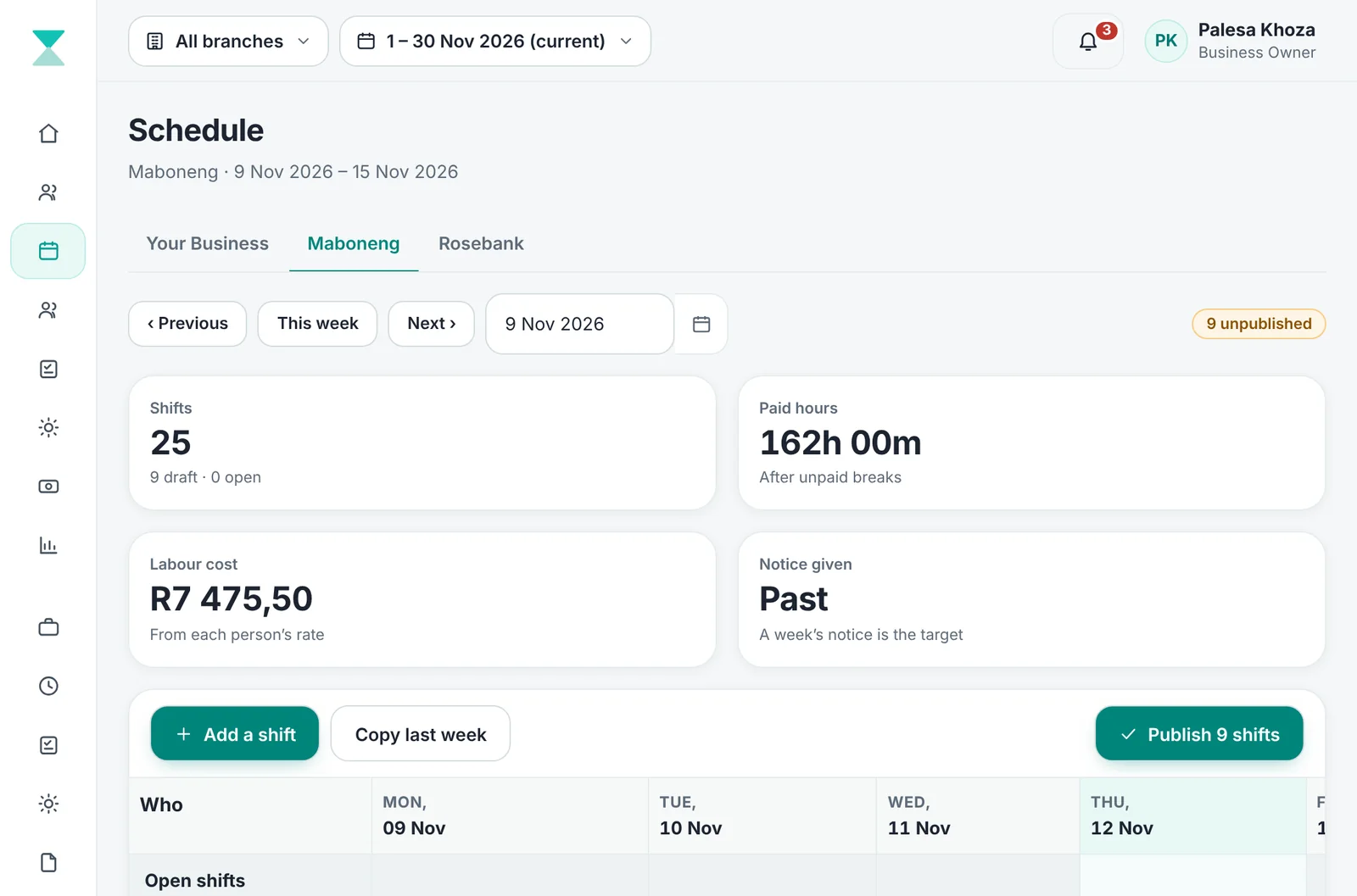
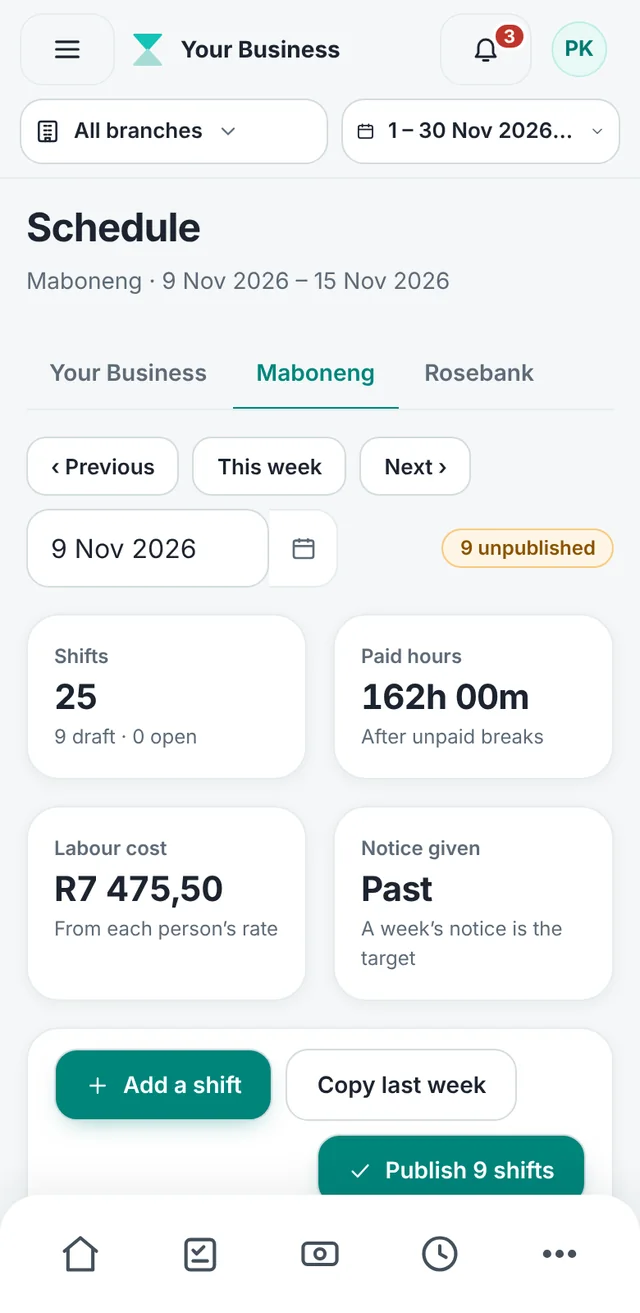
Labour cost while you plan
Build each branch’s roster, copy last week, and see the hours and labour cost before you publish.
NewBuilt-in assistant
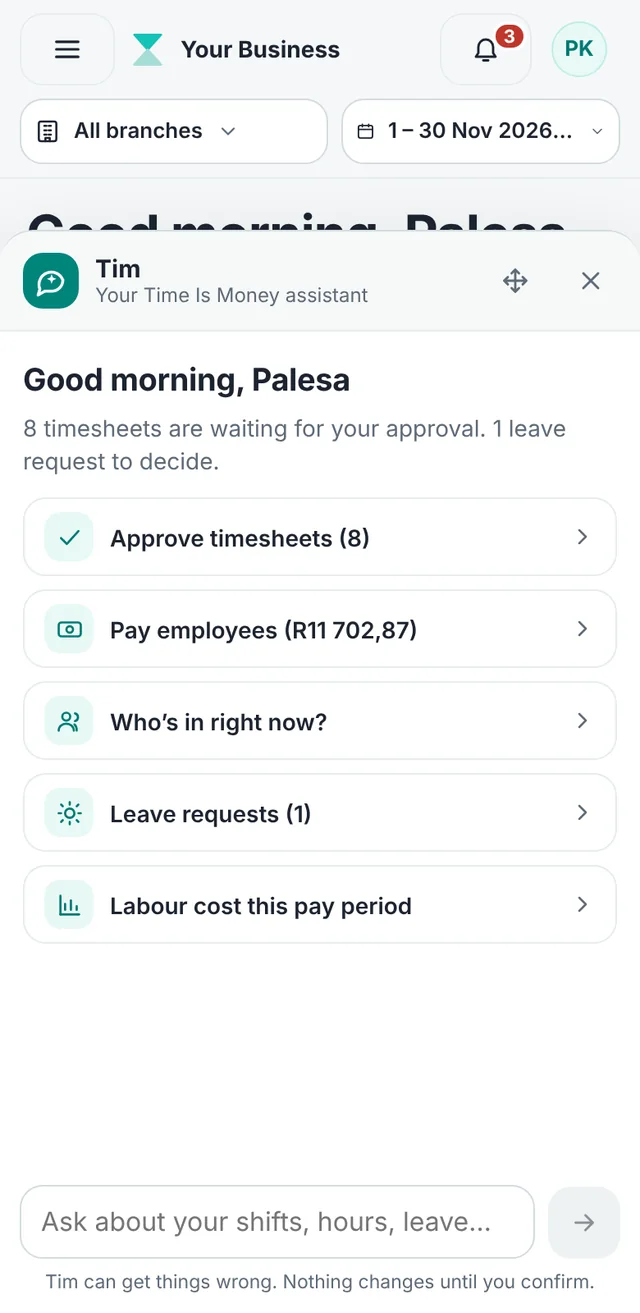
Tim is a small button on every screen that you can drag wherever suits you. Open it and you get the few things that matter right now for your job — or type a question in plain language.
Typed questions are answered by an AI service (Anthropic’s Claude), and AI can get things wrong — which is why nothing changes without your confirmation.
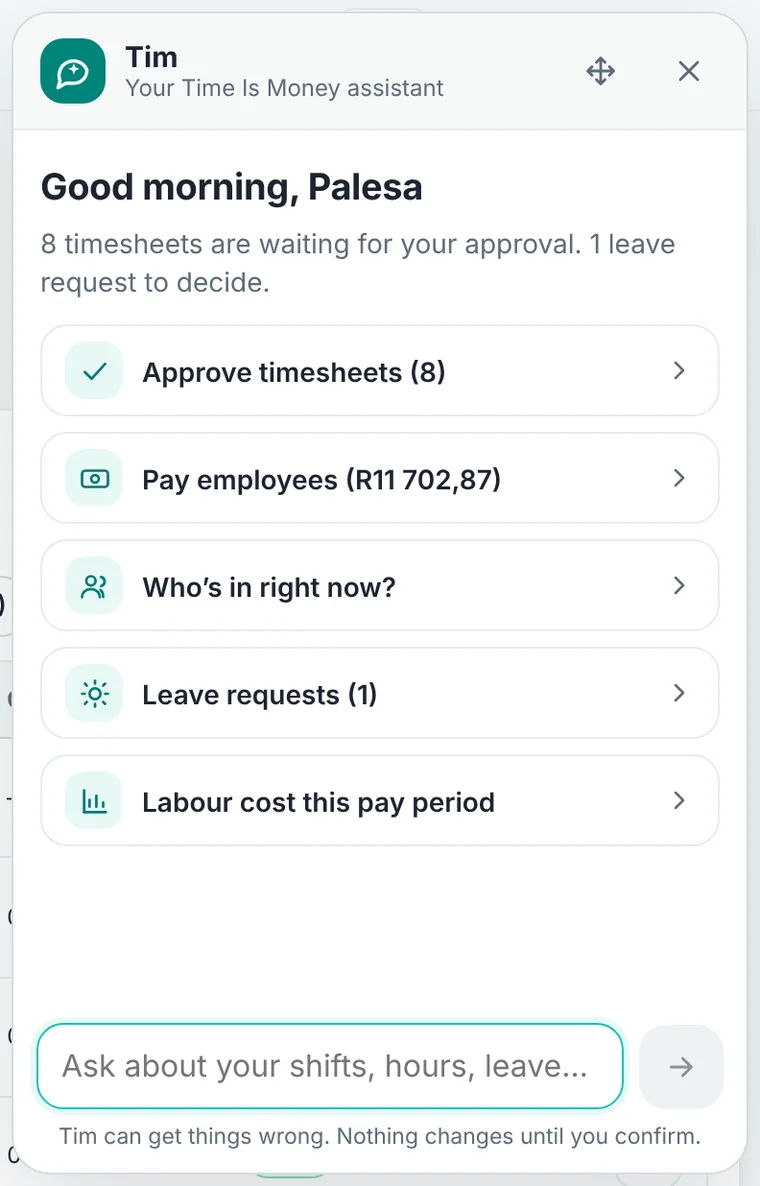
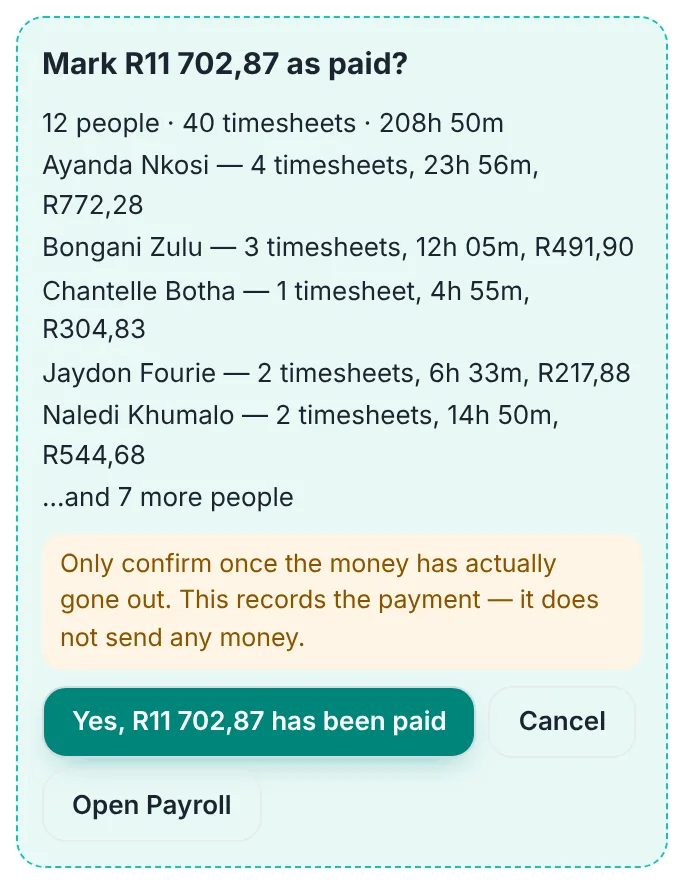
See what is waiting to be paid, mark it paid once the money has gone out, and ask what labour has cost this pay period.
Everything included
No add-ons and no feature tiers. Every business, on every plan, gets all of it.
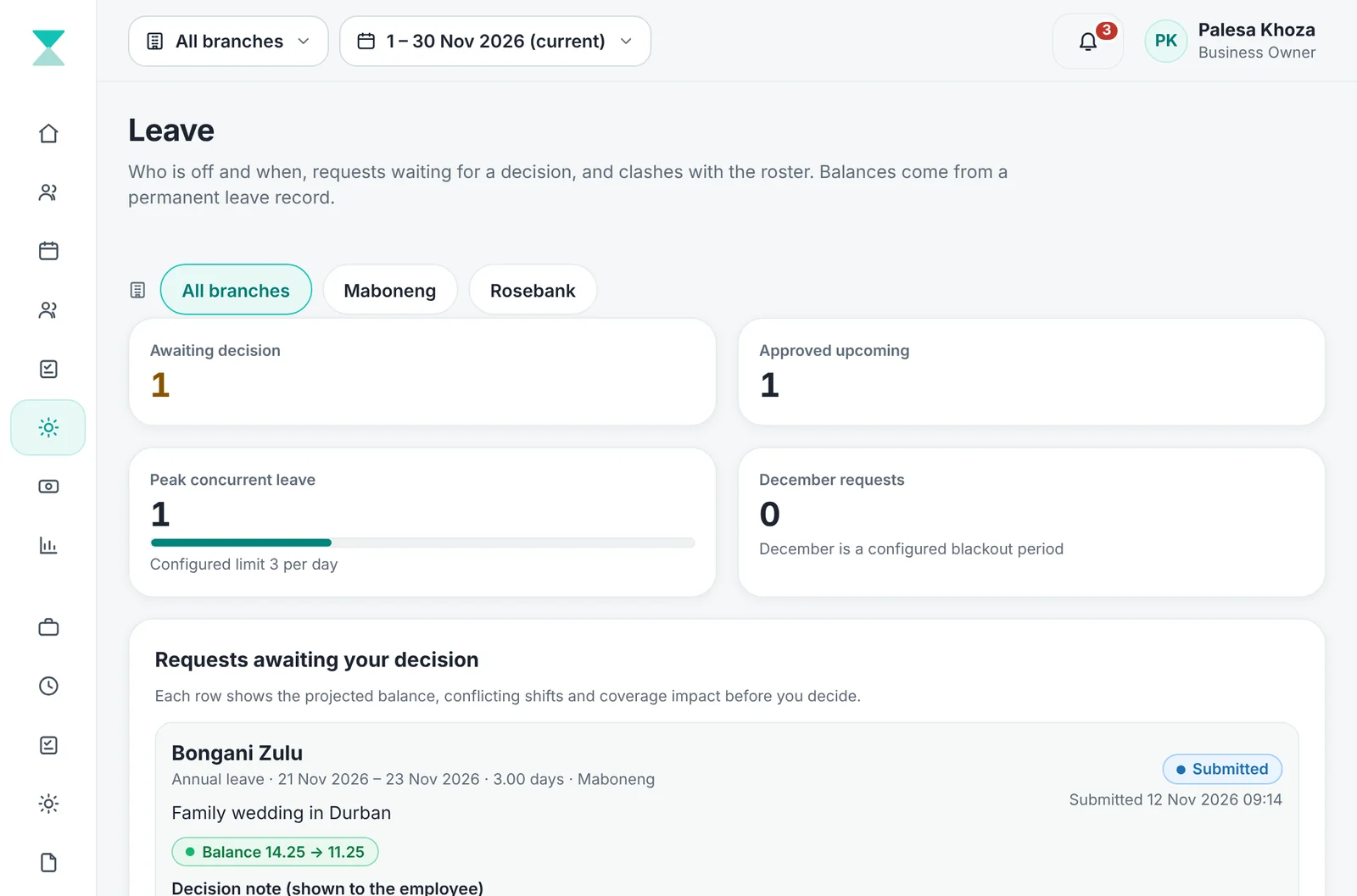
Staff ask for leave from their phone. You see their balance, who else is off and any clash with the roster before you decide.
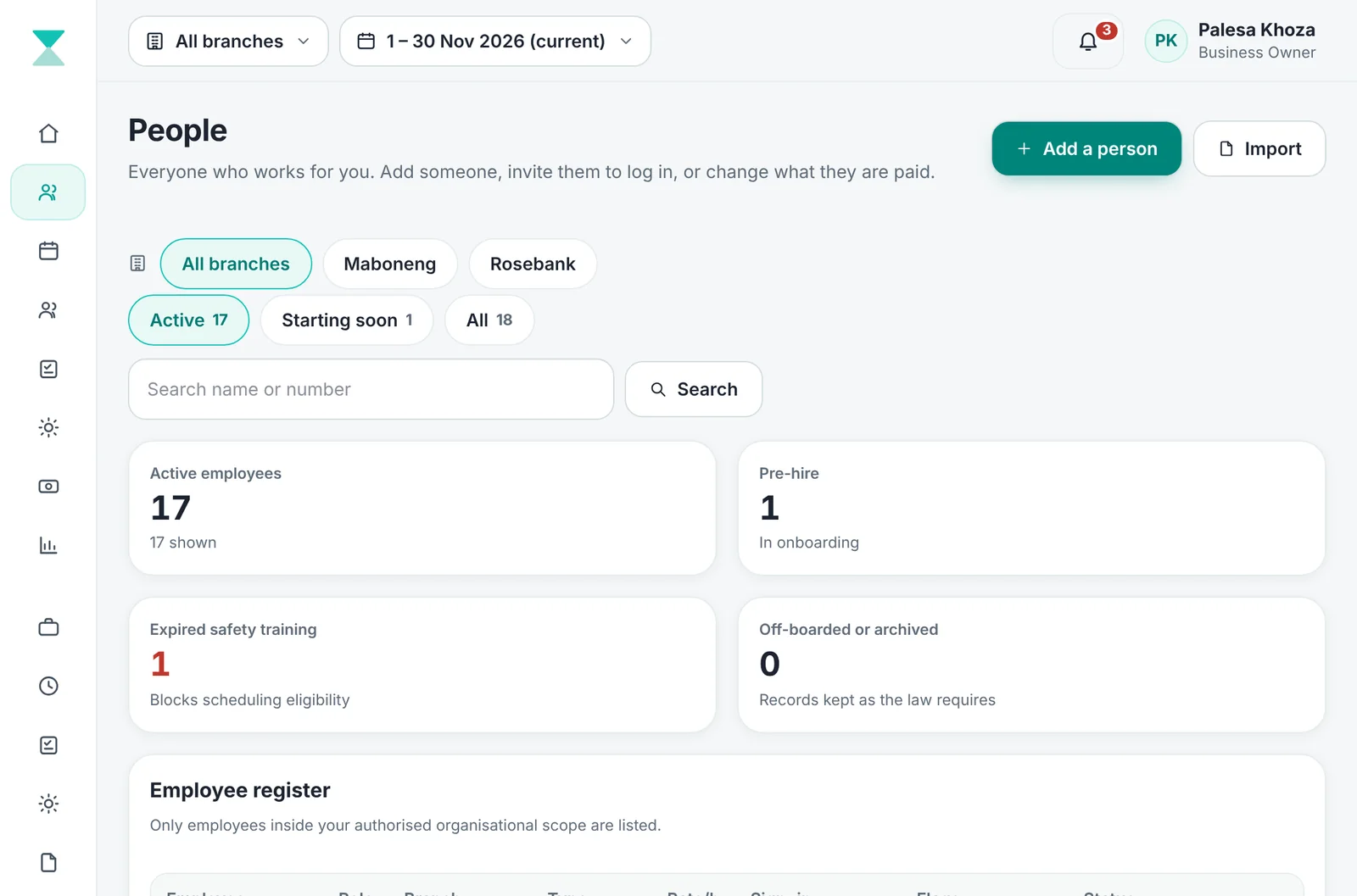
Add people one by one or paste a spreadsheet, and set who reports to whom. When someone leaves, off-board and archive them — their records are kept.
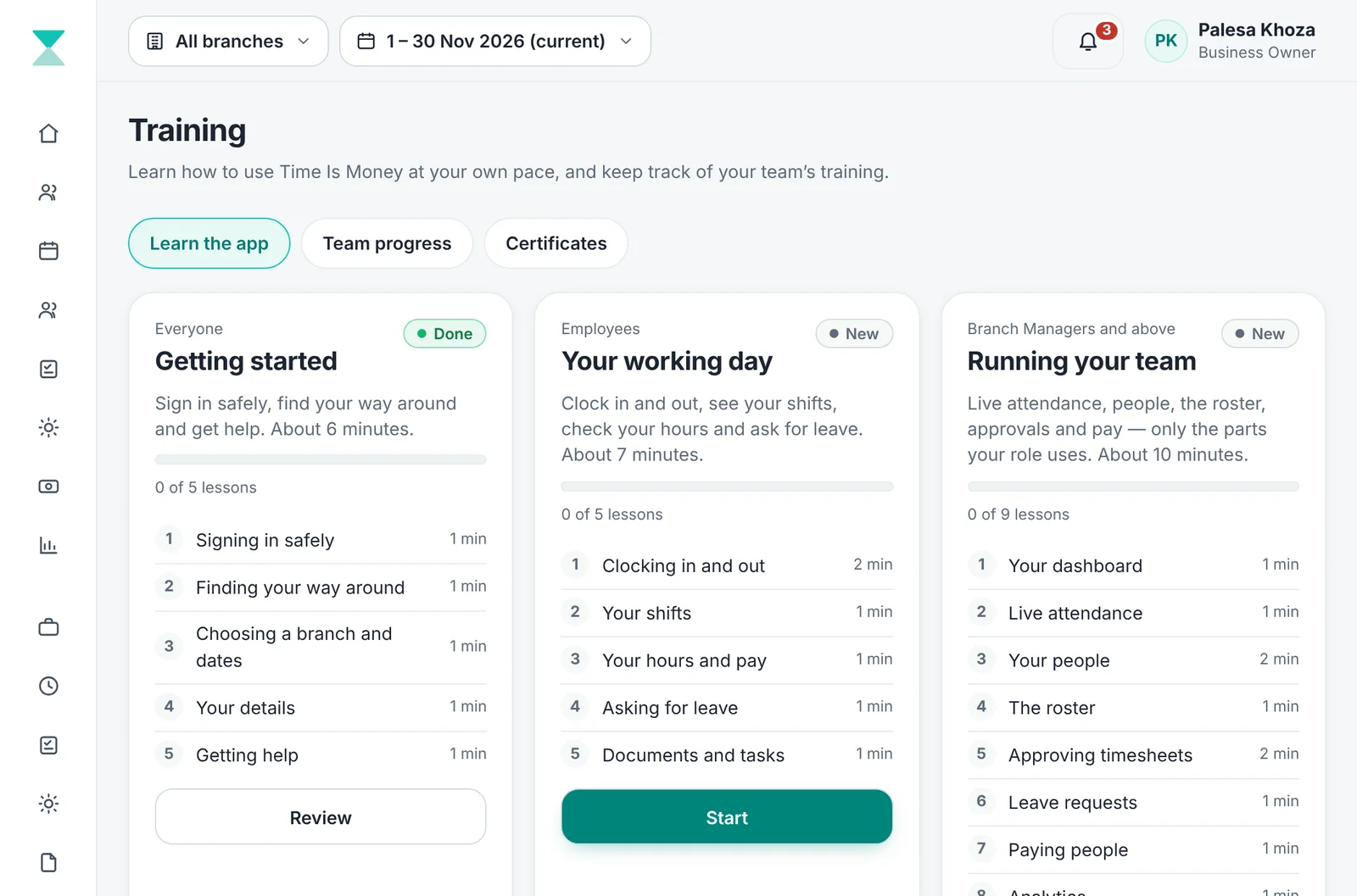
Short lessons inside the app — Getting started, Your working day and Running your team — so nobody needs a manual or a workshop.
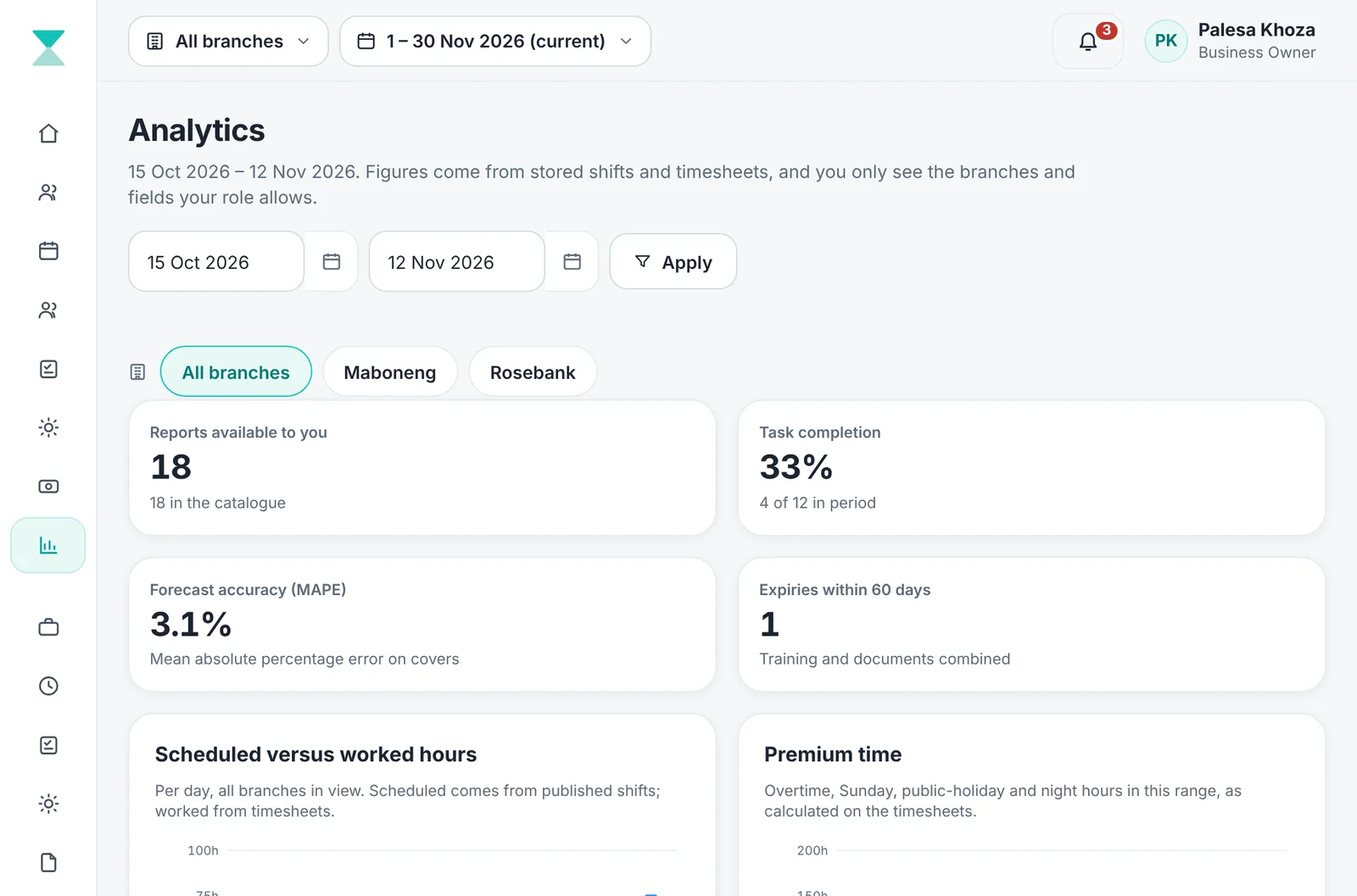
Labour cost, scheduled against worked hours, overtime and premium time — for any dates, for all branches or one.
Pick a branch once and attendance, timesheets, payroll, leave and the reports all follow.
Your own hourly rates by job or by person, with overtime, Sunday and public-holiday rates. South African defaults are filled in, and every one is yours to change.
Run the kiosk on a tablet at the branch. Staff clock in with their employee number and a PIN.
Clock-ins are kept on the device and sent, in order, when the connection is back.
Choose whether clocking in should check that the person is at the branch.
Say who each person reports to, and their timesheets and leave go to that manager.
Add a code from an authenticator app to any account that handles pay.
Messages your team acknowledges, tasks with due dates and staff documents, in the same place as their shifts.
Getting started
Create your business, your branches and your pay period. South African defaults for overtime, Sundays and public holidays are already filled in.
One at a time, or paste a spreadsheet. Invite them by email and they choose their own password.
Staff clock in, timesheets build themselves, you approve them, and payday is one list.
Start freeFree for up to 4 employees. No card needed.
Pricing
Priced by the size of your team — not per feature, and with nothing held back for a higher plan. Pay monthly, or pay yearly and get 2 months free.
R200a month
The Starter plan, for the whole business. That is R25 a person a month.
Up to 4 employees
R0no card needed
For the smallest teams. Every feature.
Start freeEvery feature included
5–10 employees
R200/month
A shop or a small kitchen.
Get startedEvery feature included
11–20 employees
R380/month
A busy branch, or two.
Get startedEvery feature included
21–50 employees
R600/month
Several branches and shifts around the clock.
Get startedEvery feature included
51+ employees
R600/month + R10 per employee over 50
Large teams and groups of branches.
Get startedEvery feature included
You pay by card through Yoco, from inside the app. There are no automatic debits: we send you a pay link a week before each renewal, and you have 7 days’ grace after the due date.
Your records
Pay rates, bank details and disciplinary records each have their own permission. You decide which roles get them.
Any account can add a code from an authenticator app, so a guessed password is not enough.
Approvals, amendments and payments are logged with the person and the time, so a dispute is settled with evidence.
When someone leaves, or a payment is late, records are kept. Nothing is deleted behind your back.
Nothing for up to 4 employees. After that it is one price for the whole business: R200 a month for 5–10 employees, R380 for 11–20, R600 for 21–50, and R600 plus R10 per employee above 50. Pay yearly and you pay for 10 months, not 12. Every plan has every feature.
Yes. Most staff need one button: clock in. There are short built-in lessons for staff and for managers, and Tim, the assistant, can show anyone where things are or do the job with them.
No. Time Is Money runs in the browser on a phone, tablet or computer, and staff can add it to their home screen. If your team should not use their own phones, put a shared tablet at the till instead.
No. Time Is Money records the hours and works out what each person has earned from your own rates, including overtime, Sunday and public-holiday rates. It gives you a pay list to download and mark as paid. Payslips and tax stay with your payroll package or your accountant.
Tim is the assistant built into the app. Its quick prompts and confirm cards work without AI. Typed questions are answered by an AI service, using only what your role can already see. ID numbers, bank details and dates of birth are never sent, conversations are not stored on our servers, there are fair-use limits on typed questions, and an owner can switch Tim off.
By card through Yoco, from Settings → Billing inside the app. Yoco does not charge you automatically, so we remind you a week before each renewal. If a payment is late you have 7 days’ grace; after that the business becomes read-only until it is paid. Staff can still clock in, and nothing is ever deleted.
Businesses that joined before paid plans keep everything free for 3 months from the launch of paid plans. If you have 4 employees or fewer, you stay free after that too. We will remind you in the app and by email before anything is due.
Yes. Add your branches, give each one its own manager, and filter every screen and report by branch. People can work shifts at more than one branch.
No. You set your own hourly rates, per job role and per employee. The wage floor is a setting: pre-filled with the national minimum wage because most South African businesses want the warning, but you can change the figure, tell it to warn instead of block, or switch it off entirely.
Yes — that is the normal case, not an edge case. Add them individually, or paste a spreadsheet with names, ID numbers, start dates, job roles and rates. The import is validated and previewed first, and you can fix the problem rows without starting over.
You add a new rate with the date it takes effect. Timesheets already costed at the old rate keep it. Nothing is overwritten, so last month’s numbers still reconcile to what you actually paid.
Clock events are captured on the device and queued. When the connection returns they are submitted in order, duplicates are discarded and the timesheet is rebuilt. Both the device time and the time the server received it are kept, so a dispute can be settled with evidence rather than memory.
Only the roles you grant it to. Rates, banking details and disciplinary records are each separately permissioned, and the same rule is applied to the screen, the export and the API — hiding a column is not a control.
Free for up to 4 employees, and from R200 a month after that. Sign up in minutes — there is no card to enter and nothing to install.